
Digital NOL Card
A digital NOL card lives inside the NOL Pay app on a compatible phone and taps a metro gate the same way the plastic does. RTA supports 3 device families for it, Samsung phones, Huawei phones and the Huawei Watch 3 and 3 Pro, and 3 card types can make the move: Silver, Gold and Blue. The physical card is permanently invalidated once it does.
Which phones can hold a NOL card
RTA issues its digital card through the NOL Pay app rather than through a generic wallet, so the device list is short and specific. Compatible Samsung phones and Huawei phones carry the card, and the Huawei Watch 3 and 3 Pro carries it on the wrist. Every one of them uses the phone's own NFC hardware to tap the gate.
An iPhone is not on the list. Apple Wallet holds no NOL card, and no version of the app changes that, so an iPhone owner reads and tops up a physical card instead. The Apple position is set out in full here.
A generic Android phone sits in the middle. It runs NOL Pay, reads a card over NFC and tops it up from AED 5, but it cannot be issued the card itself unless it is one of the certified Samsung or Huawei models. Check the model rather than the brand, because RTA certifies specific handsets rather than everything a manufacturer sells. The app is the authority: if a device can be issued a card, the option appears in NOL Pay, and if it cannot, no setting will produce one. Once set up, the phone taps at every gate in Dubai, from Union and BurJuman under the creek to the tram stops along JBR.
| Device | Digital card | Reads and tops up a card |
|---|---|---|
| Samsung phones | Yes | Yes |
| Huawei phones | Yes | Yes |
| Huawei Watch 3 and 3 Pro | Yes | Yes |
| Other Android phones | No | Yes |
| iPhone and Apple Watch | No | iPhone reads and tops up; the watch does neither |
Based on RTA Choose nol and RTA services 646 and 649, checked August 2026.
How to set one up
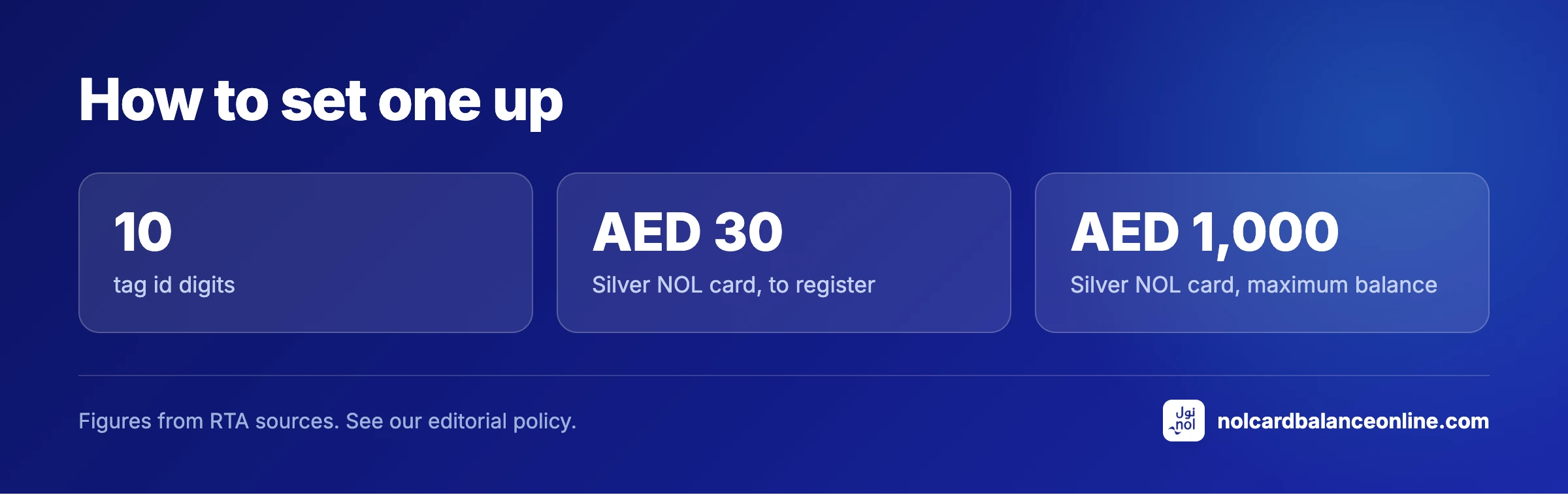
The move happens inside NOL Pay with the physical card in your hand. Install the app, sign in, add the card by holding it against the back of the phone so the app can read the 10 digit tag ID, then choose to move it onto the device and confirm. The balance travels with it rather than being left behind.
Two things are worth having ready before you start: the card itself and a way to prove who you are, since RTA ties a registered card to an Emirates ID and signs residents in through UAE Pass. The app handles both the read and the account side, so nothing needs to be typed from the back of the plastic.
Have the card registered first if it is a Silver or Gold one. Registration costs AED 30, ties the card to your name and raises the ceiling from AED 1,000 to AED 5,000, which is the version of the card worth putting on a phone. The registration steps are here.
Once the digital card exists it behaves like any other NOL card in the app: top ups from AED 5 to AED 150 a transaction, auto top up from AED 20 with a daily ceiling of AED 500, and travel passes loaded from the same screen.
The plastic does not survive it
This is the part worth reading twice. When a card is digitised the physical card is permanently invalidated. It is not suspended, not paused and not held in reserve: it stops working at gates from that moment, and there is no route back to it.
The consequence is a single point of failure. A phone with a flat battery at the end of a journey is a phone that cannot tap out, and there is no plastic in your wallet to fall back on. Plan around it the way you would plan around a phone that also holds your building pass.
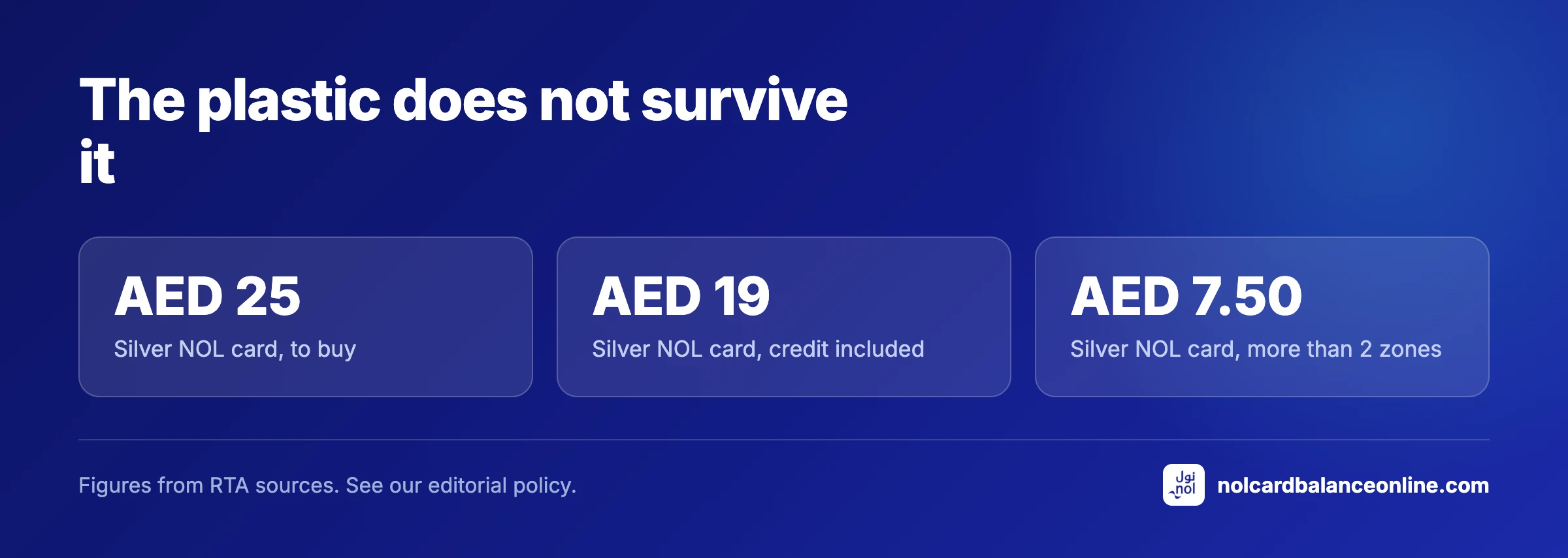
Anyone who wants a spare can buy a second anonymous card for AED 25, which includes AED 19 of credit and covers two long trips at AED 7.50 each. Keep it in a bag rather than a pocket and it earns its keep on the day the phone dies.
Fares, passes and limits stay the same
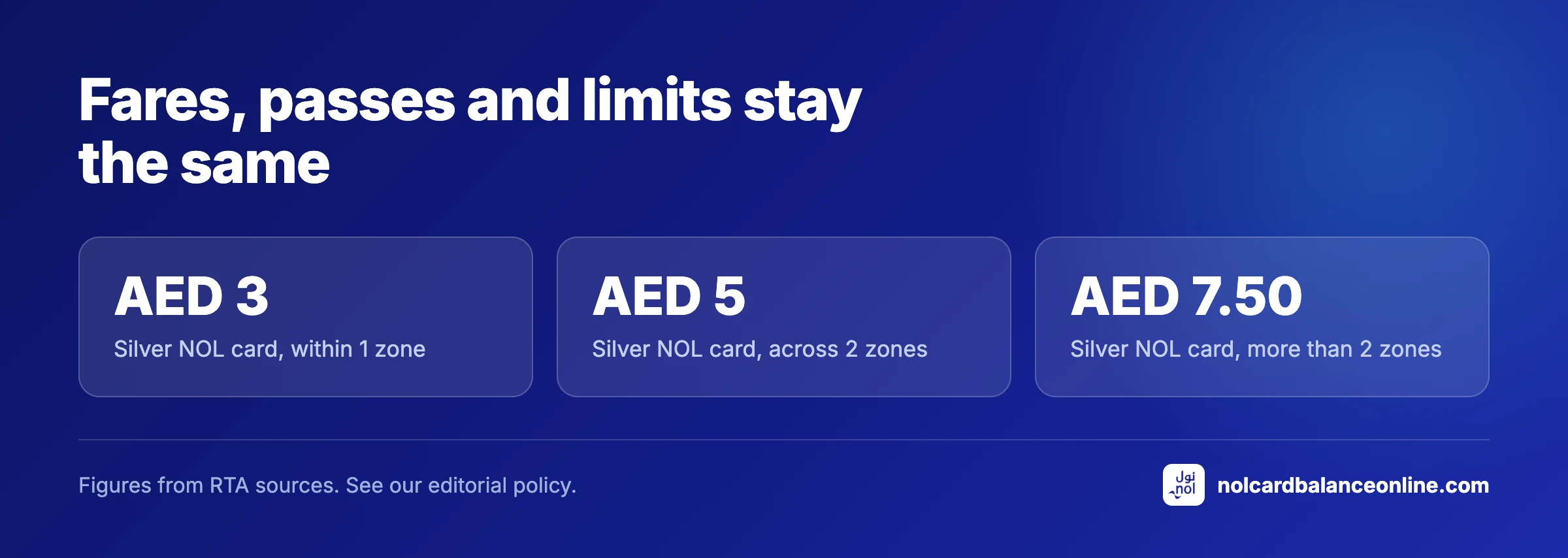
A digital card is the same product in a different shape. A Silver card on a phone pays AED 3 inside one zone, AED 5 across two and AED 7.50 beyond that, and a Gold card doubles those on metro and tram while paying the Silver fare on buses.
Passes work identically. A registered card carries the 30, 90 and 365 day passes, priced at AED 350, AED 830 and AED 2,670 for all zones, and an anonymous card is limited to the 7 day version. The break even points are compared here.
The gate rules do not change either. You still need AED 7.50 on the card to check in, still tap out at the far end, and still get 30 minutes between legs for a transfer to count as one journey.
The card keeps its non transport uses too. A digital card pays at parking meters, on water transport and at around 2,000 retail outlets, with the same AED 200 ceiling on a single shop transaction that a plastic card has.
What to think about before you commit
A phone change is the obvious question. The card is issued to a device, so moving to a new handset is a step to plan rather than an afterthought, and a switch to an iPhone means leaving the digital card behind entirely. Ask RTA before you buy the phone, not after.
Loss is the other one. A lost phone carrying a registered card follows the same path as a lost card: block it through your RTA account or on 800 9090, then replace it and move the balance. The blocking routine is here, and it works only for cards registered before the loss.
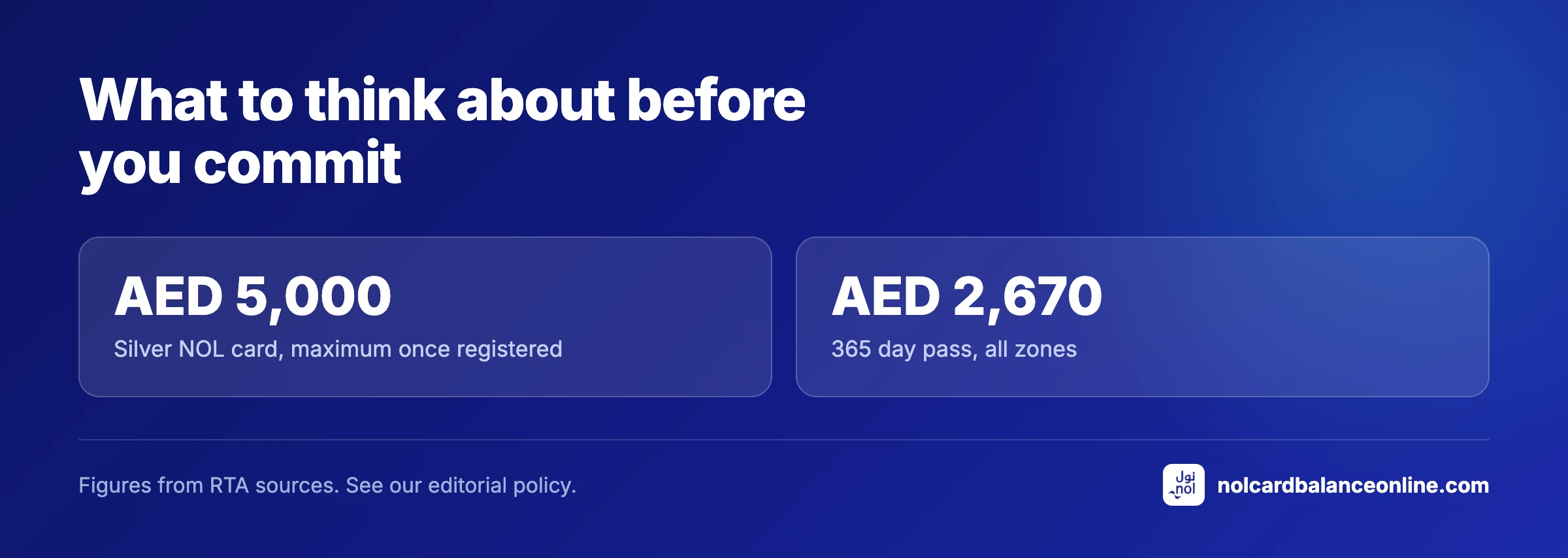
Keep an eye on what the phone is holding. A registered card can carry up to AED 5,000, and a 365 day all zones pass at AED 2,670 sits on the same device, which turns a dropped phone into a bigger problem than a dropped card ever was.
For most people the honest comparison is convenience against fragility. A digital card removes one object from your pocket and adds a dependency on a battery, and it does nothing at all to the fare.
Who should skip the digital card
If your card is anonymous, digitising it is the wrong order of operations. Register it for AED 30 first, because a digital card on a device you lose is only recoverable when RTA knows it was yours, and an unregistered balance of up to AED 1,000 disappears with the phone.
If you are visiting Dubai for a week, skip it altogether. A AED 25 Silver card or a AED 2 Red Ticket does the job without the setup, and the plastic you invalidate is a card you would have handed to somebody else at the airport.
Keep reading
NOL Card Balance Check Online 2026: RTA Dubai
Check your NOL card balance with the 10 digit tag ID, then open the official RTA page. Minimum balance AED 7.50, every method, updated October 2026.
NOL Fare Calculator 2026: Dubai Metro, Bus, Tram
Work out any Dubai Metro, bus or tram fare by zone and card type: Silver AED 3 to 7.50, Gold double, Red Ticket, concessions. Updated October 2026.
NOL Card and Dubai Metro Questions and Answers
Straight answers on NOL balance checks, tag IDs, fares, zones, passes, refunds, lost cards, expiry and how our calculators are tested against RTA.
Frequently asked questions
Which phones support a digital NOL card?
Compatible Samsung and Huawei phones, plus the Huawei Watch 3 and 3 Pro, all through the NOL Pay app. That is 3 device families in total, and iPhones are not among them.
Does my physical card still work after going digital?
No. The physical card is permanently invalidated once the digital card is created, so it stops opening gates immediately and cannot be reactivated. Buy a second card at AED 25 if you want a backup.
Which NOL cards can be digitised?
3 of them: Silver, Gold and Blue. A Red Ticket at AED 2 holds trips rather than credit and stays paper.
Does the balance move to the phone?
Yes, the credit travels with the card during the transfer. Ceilings still apply afterwards, AED 1,000 on an anonymous card and AED 5,000 once it is registered.
Are fares cheaper on a digital NOL card?
No. A Silver card pays AED 3 to AED 7.50 by zone on a phone exactly as it does in plastic, and the AED 7.50 entry threshold is unchanged.
What happens if my phone battery dies mid journey?
You cannot tap out, and there is no physical card to fall back on because it was invalidated. Speak to station staff rather than walking out, since travelling without a valid fare is a AED 200 fine.