
NOL Card Balance Check
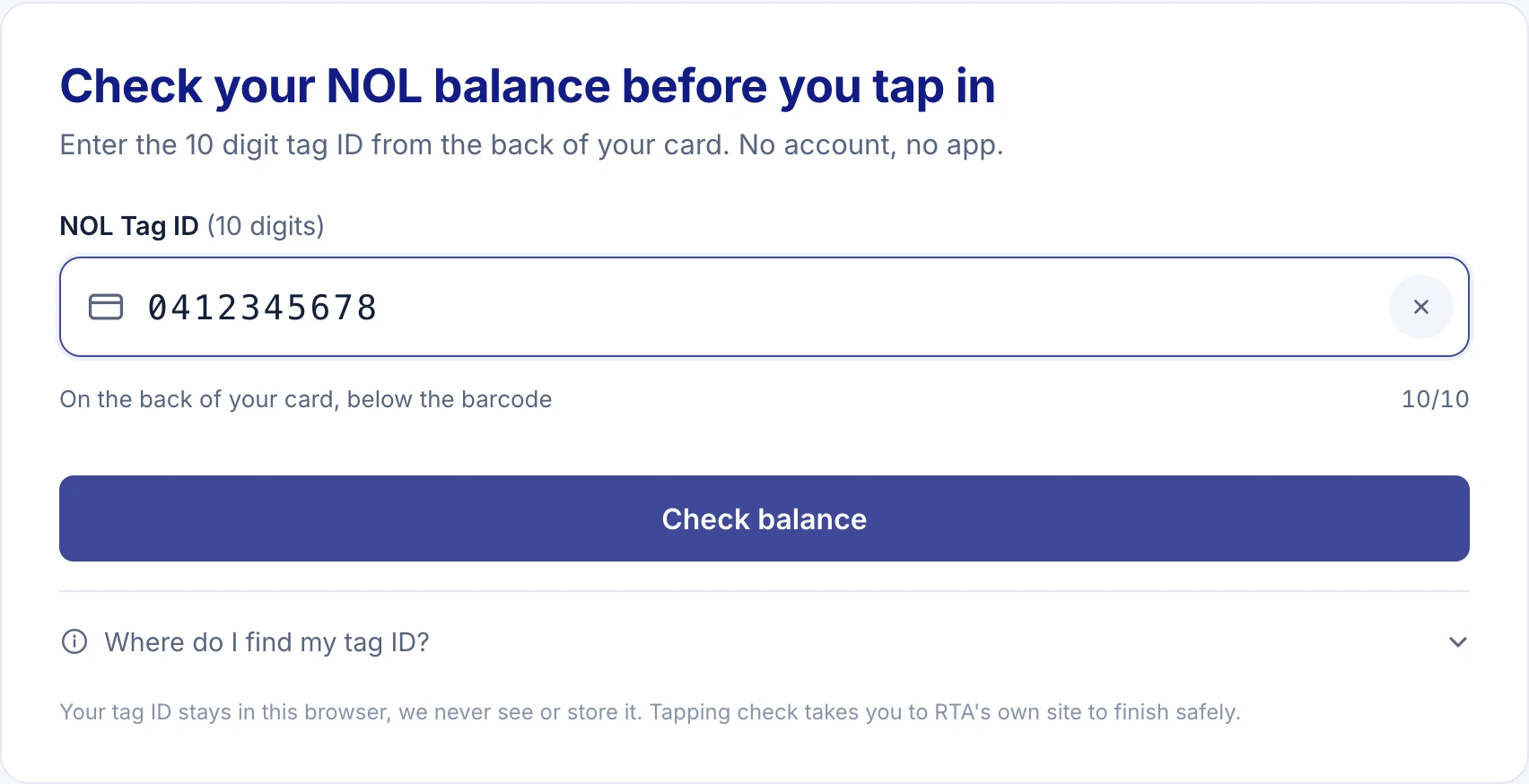
NOL card balance check in about 20 seconds: enter the 10 digit NOL tag ID from the back of your card and this page takes you straight to the official RTA balance form with the number already copied. You need at least AED 7.50 on the card to pass a metro gate.
- Straight to RTA's official balance form
- No account, no app download, always free
- Your tag ID never leaves your browser
- Fares and timings checked against RTA sources
How to check your NOL card balance
- Type the 10 digit NOL tag IDIt is printed on the back of Silver, Gold and Blue cards. The counter under the box shows how many digits you have entered.
- Tap Check Balance on RTAThe page checks the format, copies the ID to your clipboard and prepares the link. Nothing is sent to us.
- Open the official RTA balance pageIt opens in a new tab. Tap the Check NOL Balance box, paste the ID, tick the robot check, press Search.
- Read your balance on rta.aeThe balance, card status and expiry appear on the RTA page. Come back to this tab for fares, timings and top up options.
What will your next trip cost?
AED 5.00 2 zones · 12 stops · about 27 min
Open the full fare calculator for return trips, buses, passes and the daily cap.
Six ways to check a NOL card balance
RTA offers AED 7.50 as the minimum to enter the metro, and six official ways to run an RTA card balance check before you reach the gate. The RTA website is the only one that works from a laptop with just the tag ID. On mobile, the NOL Pay app is the fastest: hold the card against the back of the phone and it scans the chip by NFC in a second, no number typing. The RTA Dubai app and S'hail do the same scan, and Dubai Now shows the balance once the card is linked to your account.
Offline, every ticket vending machine in a metro station has a Check Balance option, the ticket office staff can read the card, and each fare gate flashes the remaining balance on its small screen as you tap in and out. The same balance works across metro, tram and every Dubai bus, so there is no separate bus card to check. The RTA call centre on 800 9090 handles balance inquiries by phone, and your full balance check history sits in the RTA account of a registered card. The NOL Pay app guide walks through the NFC read step by step.
| Method | What you need | Speed |
|---|---|---|
| RTA website (this tool takes you there) | 10 digit tag ID, robot check | about 20 seconds |
| NOL Pay app | NFC phone, the card | instant |
| RTA Dubai app | NFC phone or tag ID | instant by NFC |
| S'hail app | NFC phone | instant |
| Ticket vending machine or office | the card | instant |
| Fare gate display | the card, a tap | instant |
Based on RTA service pages updated July 2026.
Where the 10 digit NOL tag ID is printed
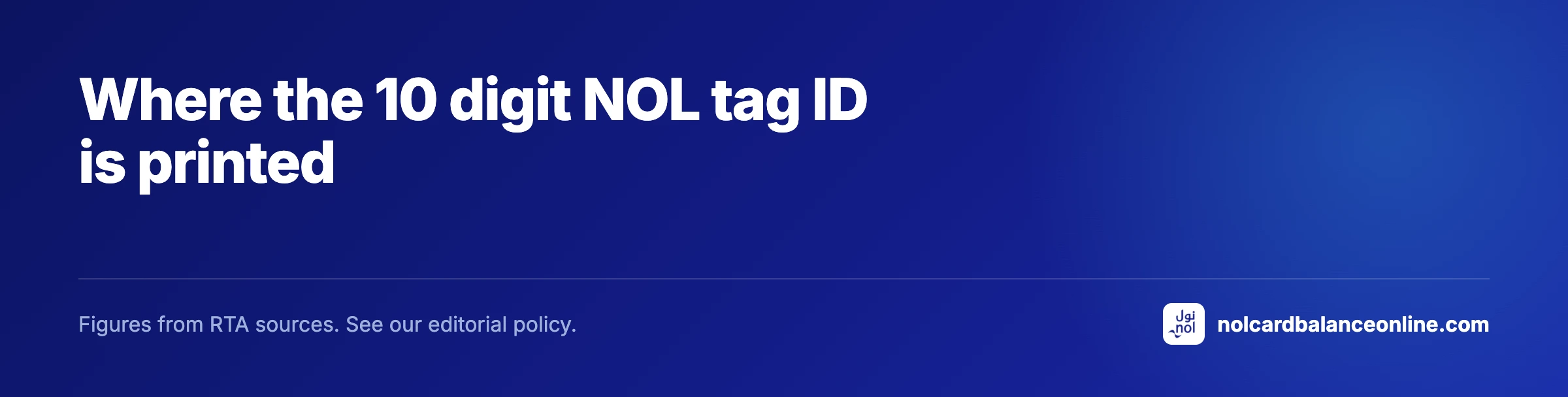
Turn the card over. The NOL tag ID is the 10 digit number printed near the bottom of the back, under the magnetic strip on older cards. RTA's own balance form accepts exactly 10 digits and nothing else, which is why this page refuses 9 or 11. Some cards also carry a longer serial number along the edge; that one is not used for balance checks.
Red Tickets print their number on the paper face. A digital NOL card in NOL Pay shows its tag ID inside the app under the card details, and the app reads the balance directly so you rarely need the number at all.
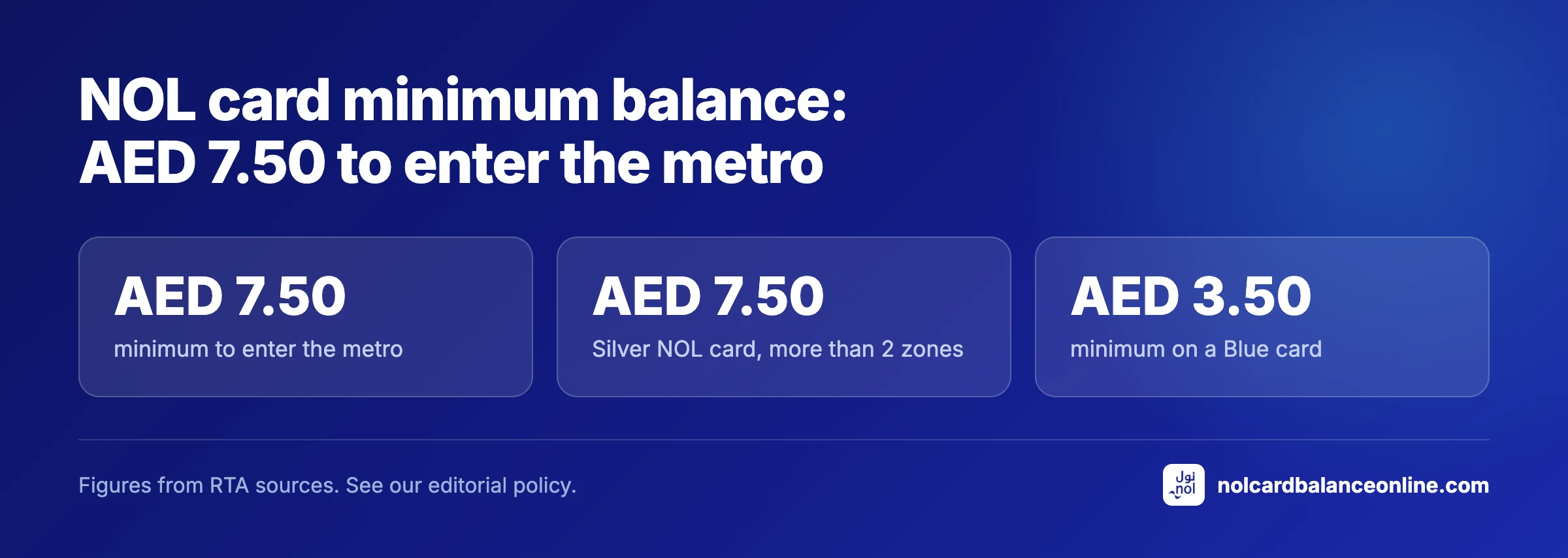
NOL card minimum balance: AED 7.50 to enter the metro
A Silver, Gold or Blue card needs at least AED 7.50 at check in. The figure matches the highest single fare, AED 7.50 for a trip across more than two zones, so the system knows the card can settle any journey you start. A Blue card with a concession or pass needs only AED 3.50 to open the gate. A Red Ticket needs one loaded trip.
Fall below the minimum and the gate shows a red cross. The fix is a top up at the vending machine beside the gates, minimum AED 20 by card or cash, which credits the card instantly. Online top ups take 45 minutes to 4 hours to reach the card and then need a tap at a gate or machine to activate, so they do not rescue you at the barrier. Every top up channel is compared here.
NOL card types and what each one costs
Every card on this page checks its balance the same way. What differs is the price, the credit loaded at purchase and the fares charged. The Silver card at AED 25 includes AED 19 of travel credit. The Gold card costs the same and opens the Gold Class cabin at double fare. The Blue Personal card at AED 70 includes AED 20, carries your name, protects the balance if the card is lost and is the only card that gives student and senior concessions. The Red Ticket is a AED 2 paper ticket for up to 10 trips. The full card comparison sets out who each one suits.
| Card | Price | Credit included | Max balance | Validity |
|---|---|---|---|---|
| Silver | AED 25 | AED 19 | AED 1,000 (5,000 registered) | 5 years |
| Gold | AED 25 | AED 19 | AED 1,000 (5,000 registered) | 5 years |
| Blue (Personal) | AED 70 | AED 20 | AED 5,000 | 5 years |
| Red Ticket | AED 2 | none, load trips | 10 trips or 5 day passes | 90 days |
| NOL Travel card | AED 100 | AED 19 | AED 1,000 (5,000 registered) | 5 years |
Based on RTA Choose nol and service pages 634, 649.
What your balance pays for: Dubai Metro fares by zone
Dubai Metro, bus and tram fares depend on how many of the seven RTA fare zones a journey touches, not on distance. Within one zone a Silver card pays AED 3, two adjacent zones AED 5, more than two zones AED 7.50. Gold Class doubles each figure on the metro and tram. Students and seniors with a Blue card pay half. Airport Terminal 3 to Burj Khalifa is a two zone trip, so AED 5 on Silver; Terminal 3 to DMCC in the Marina crosses three zones and costs AED 7.50.
A change between metro, tram and bus within 30 minutes keeps the journey as one fare, up to 3 transfers and 180 minutes in total. The fare calculator works out any pair of stations from the same RTA table, and the zones guide explains how the count works.
| Journey | Silver / Blue | Gold | Red Ticket | Concession |
|---|---|---|---|---|
| Within 1 zone | AED 3 | AED 6 | AED 4 | AED 1.50 |
| 2 adjacent zones | AED 5 | AED 10 | AED 6 | AED 2.50 |
| More than 2 zones | AED 7.50 | AED 15 | AED 8.50 | AED 3.75 |
Based on RTA nol Fares.
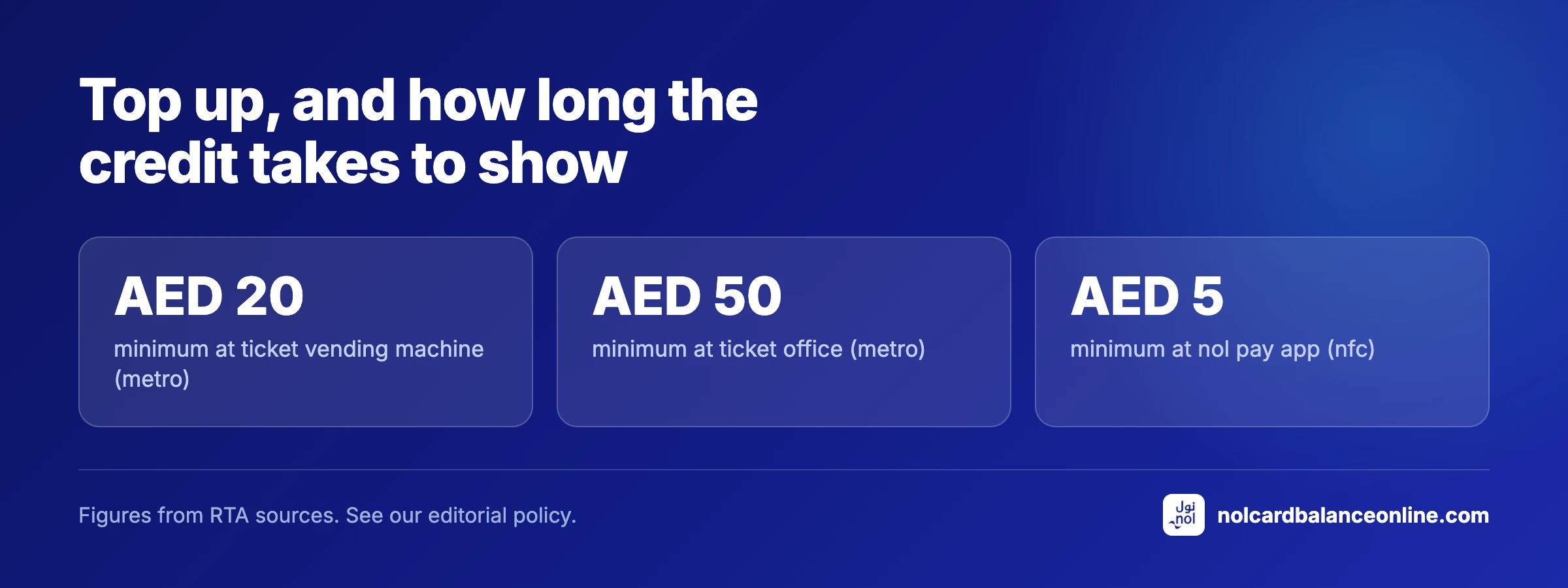
Top up, and how long the credit takes to show
The quickest top up is the ticket vending machine at any station, from AED 20, credited the moment the transaction ends. Ticket offices take AED 50 or more. The NOL Pay app tops up from AED 5 and writes the credit to the card by NFC straight away, with auto top up available up to AED 500 a day. The RTA website, the RTA Dubai app, Dubai Now, Mahboub on WhatsApp and bank apps such as Emirates NBD and ADCB accept a tag ID instead of the card; those credits sit as pending for 45 minutes to 4 hours and activate on your next tap at a metro gate, parking meter or bus stop machine. The pending credit must be activated within 180 days, and the online maximum per top up is AED 150.
How this balance check works, and why no website can show the number itself
The only online source of a NOL balance is the Check NOL Balance form on rta.ae. That form takes the 10 digit tag ID and a Google reCAPTCHA token, and RTA's server rejects any request without a valid token. The token can only be produced by a person on RTA's own page, so no third party site can fetch your balance for you, and any site that claims to display it is either redirecting you or guessing. There is no public RTA API for balances, and the one open source scraper that once existed stopped working when RTA added the token check.
This page does the honest version of the job. It applies RTA's own validation rule, exactly 10 digits, copies the ID so the paste on rta.ae is one tap, and opens the official page in a new tab so this one stays available for fares and timings. The rule, the fare table and the card prices on this page are taken from rta.ae pages fetched in August 2026 and listed on the editorial policy page.
Sources: the RTA balance widget (validation rules read from the page code), RTA nol Fares, and RTA service pages 634, 646 and 649, all fetched August 2026. How we source and test data.
What this page does not do
- This page never sees or stores your balance; the number only ever appears on rta.ae.
- The tag ID is kept in your browser for convenience and can be cleared with the Clear button under the box.
- Fares and prices here are taken from published RTA pages and can change; the official page always wins.
Find a guide
Search 46 guides by topic: fares, zones, timings, cards, recharge, refunds and rules.
- GuideNOL Card Types: Silver, Gold, Blue, Red
- GuideSilver NOL Card: Price, Limits, Monthly Pass
- GuideGold NOL Card: Price, Gold Class Fares, Validity
- GuideBlue NOL Card: Eligibility, Cost, How to Apply
- GuideRed NOL Ticket: Price, Day Pass, How to Use It
- GuideStudent NOL Card Dubai: 50% Off, Apply Online
- GuideNOL Card for Tourists: Which One to Buy
- GuideEmaar NOL Card: Benefits, Price, Burj Khalifa
- GuideNOL Card Price: Every Card and Pass Cost
- GuideWhere to Buy a NOL Card in Dubai: Every Option
- GuideNOL Card at Dubai Airport: T1, T3, DWC Guide
- GuideNOL Card Recharge: Every Top Up Method
- GuideNOL Pay App: Download, NFC Check, Auto Top Up
- GuideHow to Use a NOL Card: Tap In, Tap Out, Fares
- GuideNOL Card Balance History: 4 Ways to Check
- GuideNOL Card Minimum Balance: AED 7.50 Explained
- GuideNOL Card Expiry Check: Validity and Renewal
- GuideNOL Card Refund: Fees, Limits, How to Claim
- GuideLost NOL Card: Block It and Save Your Balance
- GuideNOL Card Balance Transfer: 3 Ways That Work
- GuideNOL Card in Apple Wallet: What Works Today
- GuideDigital NOL Card: Samsung and Huawei Setup
- GuideNOL Card Personalisation: Cost, Steps, Benefits
- GuideNOL Plus Rewards: Register, Earn Points, Redeem
- GuideNOL Card Not Working: Fix Card Not Valid Errors
- GuideNOL Card Upgrade: QR Tickets and Bank Cards
- GuideDubai Metro Guide: Lines, Fares, Timings, Map
- GuideDubai Metro Fare: Every Zone and Card Price
- GuideDubai Metro Map: Lines, Stations, Zones PDF
- GuideDubai Metro Zones Explained: How Fares Are Counted
- GuideDubai Metro Stations: All 55 Plus New Names
- GuideDubai Metro Red Line Stations: All 35 Stops
- GuideDubai Metro Green Line Stations: All 20 Stops
- GuideDubai Metro Interchange Stations: Union, BurJuman
- GuideDubai Underground Metro: Every Below Ground Stop
- GuideDubai Metro Blue Line 2029: 14 Stations and Route
- GuideDubai Metro Gold Line 2032: Route and 18 Stations
- GuideDubai Metro Ramadan Timings: Metro and Tram
- GuideDubai Metro News: Upgrades, Lines, Ridership
- GuideDubai Metro Gold Class: Fares, Rules and Perks
- GuideDubai Metro Fines: Full RTA Penalty List
- GuideDubai Metro Daily Pass: Price and When It Pays
- GuideDubai Tram: Route, Timings, Fares, Stations
- GuideDubai Bus Fare: Zones, Nol Rates, Transfers
- GuideDubai Metro Parking: Free Lots and Capacity
- FAQNOL Card and Dubai Metro Questions and Answers
No matches.
Every nol and Dubai Metro tool on this site
Every tool runs on the same RTA fare table, zone map and timetable, so the numbers agree with each other.
Fare Calculator
Work out any Dubai Metro, bus or tram fare by zone and card type: Silver AED 3 to 7.50, Gold double, Red Ticket, concessions.
Route Planner
Plan any trip across 55 metro and 11 tram stations: route, stops, minutes from the RTA timetable, where to change, and the fare for every card..
Metro Timings
Dubai Metro runs 05:00 to 00:00 Monday to Thursday and Saturday, till 01:00 Friday, from 08:00 Sunday.
Dubai Metro First and Last Train Times by Station
First and last train for every Red and Green Line station, both directions, Monday to Sunday, from the official RTA timetable REG_20251215..
Dubai Metro Zone Map
Type any station to see its fare zone.
NOL Monthly Pass 2026
Every NOL pass price from 7 to 365 days and 1 zone to all zones, Silver AED 140 to 2,670, Gold and concession rates, plus a break even calculator..
NOL card balance check questions
Can I check my NOL card balance online without an app?
Yes. Enter the 10 digit tag ID above, tap the button and paste the ID into the Check NOL Balance box on rta.ae. No account and no app are needed, only the robot check on RTA's page.
Why does the check open the RTA website instead of showing the balance here?
RTA protects its balance form with a reCAPTCHA token that is verified on their server. No outside website can pass that check on your behalf, so the only honest option is to take you to the official form with the ID already copied.
How do I check a NOL card balance on my mobile?
Install the NOL Pay app, open it and hold the card flat against the back of the phone. The app scans the chip by NFC and shows the balance in about a second. The RTA Dubai app and S'hail do the same. iPhones from the iPhone 7 onward and most Android phones can scan a NOL card.
What is the minimum balance on a NOL card?
AED 7.50 for Silver, Gold and Blue cards at a metro gate. A Blue card with a pass needs AED 3.50 to open the gate. A Red Ticket needs one loaded trip.
I topped up online but the balance has not changed. Why?
Online and app top ups by tag ID stay pending for 45 minutes to 4 hours, then need a tap at a metro gate, parking meter or bus stop machine to move onto the card. Bus validators cannot activate pending credit. Machines and ticket offices credit the card instantly.
Does a NOL card balance expire?
The balance stays as long as the card is valid. Silver, Gold and Blue cards last 5 years and can still be used for 2 more years without topping up. After that a registered card's balance can be transferred or refunded; an unregistered card's balance is lost.
Can I check the balance of a Red Ticket?
Yes, at any ticket vending machine or gate display. The RTA website form is designed for the 10 digit tag ID on Silver, Gold and Blue cards, so a paper ticket is easier to check at the machine while you top up.
Is this the official RTA website?
No. NOL Card Balance Online is an independent guide and is not affiliated with the Roads and Transport Authority. The balance check itself happens on rta.ae, and your tag ID is never sent to us.